


TCG Card Scanner TCG Collector
4.71.35K Reviews
App Specs
- Version
- 1.4.5
- Updated On
- License
- Free
- Downloads
- 1,000,000+
- Developer
- Identifier Studio
- Categories
- Sports
- Platform
- Android
Screenshots
 Analysis by AppCompare
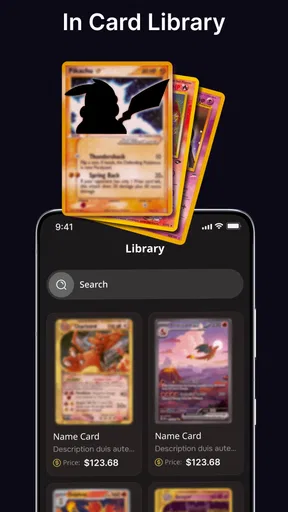
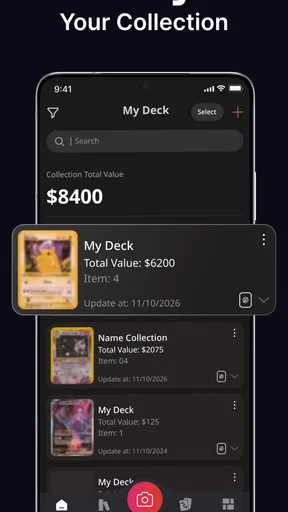
I like collection tools most when they make an ordinary card session easier, rather than turning the hobby into another job. TCG Card Scanner TCG Collector is aimed at that practical need: it brings scanning, cataloging, collection tracking, and card-value checking together in a sports app for trading-card fans. I can see it being most useful when a household has cards spread across a few boxes and people want a shared picture of what is already there before buying, sorting, or trading.
A shared collection starts with clear expectations
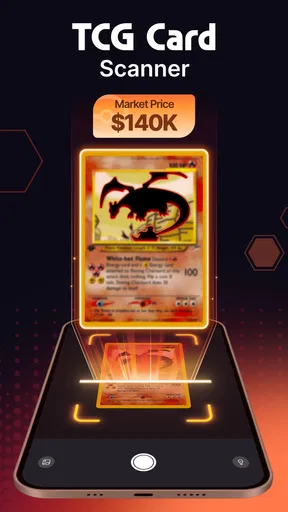
Imagine a relaxed weekend sorting session: one person pulls cards from a binder, another checks which ones are already recorded, and someone else notes cards they still hope to find. A scanner-led catalog can make that process less dependent on one person remembering every set or keeping a spreadsheet up to date. Instead of pausing to type each card’s details, you can try identifying it with the camera and then check the digital collection as you go.
That workflow is especially handy for families or friends who collect together but have different levels of experience. A newer collector can help sort and scan, while someone more familiar with the hobby can review uncertain identifications and decide whether a card belongs in the shared inventory. I would still agree on a simple household rule before starting: decide whose collection an entry represents, and whether cards kept in separate binders should be tracked separately. A catalog is only useful when everyone understands what its entries mean.
Set boundaries before sharing a phone
On a shared device, I would treat the phone and the collection as two different things. Letting someone use the camera to identify a card does not automatically mean they should change the household’s records, wishlist, or trade plans. If several people take turns, it is worth agreeing on who is responsible for correcting a mistaken scan and who gets to mark a card as available for trade. That small bit of coordination can prevent confusion later.
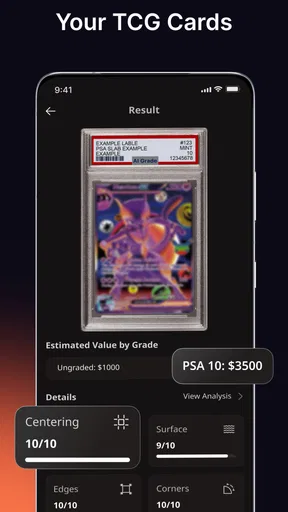
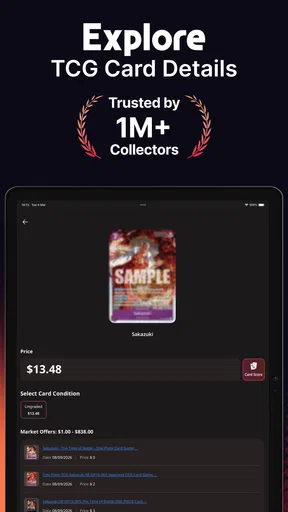
I would also avoid treating a displayed card value as a promise about what a card will sell for. A value check can be a useful conversation starter when comparing cards or deciding what to investigate, but the condition, edition, and buyer all matter in real transactions. Before making a costly purchase or accepting a trade based mainly on an estimate, I would compare the card carefully and check current information through sources the people involved trust. The scanner can help organize the decision; it should not make the decision for you.
Useful for sorting, less suited to every collector
The app’s strongest fit is someone who wants a quick route from a physical card to a searchable personal catalog. That is different from building a highly customized inventory in a spreadsheet, where every column and category can be adjusted by hand. A spreadsheet may be better for collectors who need unusual fields, detailed condition notes, or a workflow they have already refined. A camera-based catalog is more appealing when reducing repetitive entry matters more than controlling every detail.
There is a trade-off in relying on image identification: a scan is a starting point, not a reason to stop checking. Cards that look similar, have unusual printing, or are difficult to photograph deserve a second look before you count them as correctly cataloged. I find it sensible to scan in good light, keep the card flat and fully visible, and review the result before moving on. This makes a session slightly slower, but it is much easier than discovering a pile of questionable entries when preparing a trade.
Worth Reading Before You Choose

Flipboard Shows What News Apps Must Do Beyond the Feed

Switching to Android Auto Means Rethinking Your Driving Routine

Google Calendar Makes a Crowded Week Easier to Manage

Ludo King Makes the Most of the Minutes Between Plans

Baby Panda World Brings Quick Play to Modern Phones, but Its Game Library Feels Busy

ESPN’s Live Game View Makes Following Close Games Easier
For a large collection, I would work in manageable batches rather than trying to digitize every box in one sitting. Start with the cards you trade most often, a set you are actively completing, or a binder that multiple people regularly use. That gives the catalog an immediate purpose and makes it easier to notice whether your workflow is accurate. Once the habit feels comfortable, you can decide whether it is worth adding the less frequently handled cards.
Getting Started with Ease
First things first, downloading the TCG Card Scanner TCG Collector is a breeze. Available for both Android and iOS, you can grab it from the Play Store or App Store without any hassle. Once installed, the app greets you with a clean and intuitive interface that even the most tech-averse among us will find easy to navigate.
Scanning and Cataloging
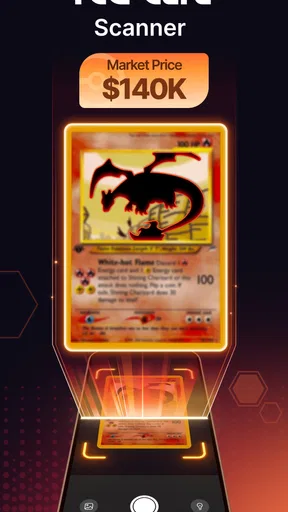
The real magic happens when you start scanning your cards. Using your phone’s camera, the app quickly identifies and catalogs your cards. I was amazed at how accurate it was, capturing even the finest details. No more manual entries or endless spreadsheets—just point, scan, and your card is neatly filed away in your digital collection.
Features That Stand Out
What I love about this app is its comprehensive database. Whether you’re into Pokémon, Magic: The Gathering, or Yu-Gi-Oh!, the app has you covered. You can browse through your collection, check card values, and even track your trades. It’s a collector's dream come true.
Another standout feature is the ability to create wishlists and track missing cards. Planning to trade or buy? Just check your wishlist, and you’re good to go. I found this especially handy for staying organized during trades.
Staying Connected
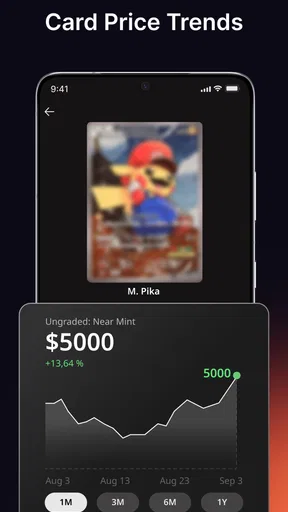
Social butterflies will appreciate the community aspect of the app. You can connect with other collectors, share your collection, and even get insights on market trends. It's like having a mini social network dedicated to trading card enthusiasts.
Age, trust, and household use
The app is rated for Everyone, which makes it suitable for a broad age range, but I would still keep an adult involved when younger collectors use value information or arrange trades. A child can help identify cards and maintain a wishlist, while an adult can check condition and discuss whether a proposed exchange is fair. That is a sensible boundary for any hobby tool that brings collection details and value checks into the same routine.
Identifier Studio is the developer, and the app is free to install. Optional in-app purchases range from $3.99 to $39.99 per item, so I would look at the purchase details before confirming anything, especially on a device used by more than one person. The current version is 1.1.2, and the minimum operating system is 10. Its release date was March 25, 2025; the listing shows a 4.7 average from around 16,000 ratings, with roughly 600 written reviews and over 500,000 installs. Those figures suggest plenty of interest, but they are not a substitute for checking whether its scanning and cataloging suit your own collection.
One practical question is whether every household member needs to use the same device. I would begin with one person maintaining the main catalog and let others help with sorting or checking cards, rather than assuming that multiple people can safely edit one collection in whatever way they prefer. If keeping separate personal inventories matters, decide on that arrangement before scanning a shared box. Clear ownership makes wishlists and trade conversations far less ambiguous.
Where it fits among other options
Compared with a paper checklist, this app is more convenient when you want to identify cards and consult a collection while away from your shelves. Compared with a manually maintained spreadsheet, it can reduce typing, but a spreadsheet gives you more freedom to record custom notes. And compared with simply searching the web for every card, a catalog can keep your own collection and missing-card goals together. The best choice depends on whether you value quick camera-based organization, complete control over your fields, or a lightweight reference that does not ask you to maintain a digital inventory.
I would skip it if you only own a handful of cards and already know exactly where they are; the setup and cataloging may be more work than the problem deserves. It may also be a poor fit if you need highly precise accounting for valuable cards, want every entry checked by hand, or do not want collection information in an app. In those cases, a carefully maintained spreadsheet or a personal paper log can offer more control. For casual collectors, though, the ability to scan, review, and build a wishlist in one place is a useful middle ground.
Wrapping It Up
In a nutshell, the TCG Card Scanner TCG Collector app is a must-have for any serious card collector. It takes the hassle out of managing your collection and adds a layer of fun with its interactive features. Whether you’re a seasoned collector or just starting out, this app will make your collecting journey smoother and more enjoyable.
So, why not give it a try? Dive into the world of organized card collecting and watch your collection flourish. Happy collecting!
My household verdict
For a shared household, I see this as most useful when everyone agrees on a simple process: scan in batches, review uncertain matches, keep personal cards distinguishable, and treat value checks as guidance rather than guarantees. That turns the catalog into a practical aid for sorting and planning without asking it to settle ownership or trade fairness by itself. If that sounds like the way you collect, it is worth trying; if your priorities are strict custom recordkeeping or minimal phone use, a spreadsheet or paper list may suit you better.
Pros
- Quickly scans multiple cards with accuracy.
- Supports a wide range of TCGs.
- User-friendly interface for all ages.
- Offers detailed card information instantly.
- Regular updates enhance functionality.
Cons
- Occasional lag on older devices.
- Requires internet for full features.
- Ads can be intrusive at times.
- Limited offline card database access.
- Some rare cards may not scan accurately.
FAQs for TCG Card Scanner TCG Collector
What is TCG Card Scanner TCG Collector, and how does it work?
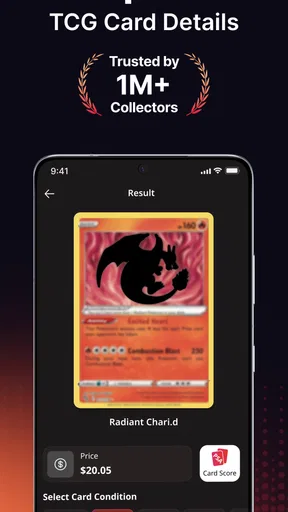
TCG Card Scanner TCG Collector is an app designed for trading card game enthusiasts. It allows users to scan, catalog, and manage their card collections easily. Using advanced image recognition technology, the app identifies cards through your device's camera, providing details like card value, edition, and rarity, enhancing your collecting experience.
Can I use TCG Card Scanner TCG Collector offline?
While some features of TCG Card Scanner TCG Collector require an internet connection, such as updates and online price checks, you can still access your saved collection and perform basic functions offline. However, for the best experience, including real-time pricing and card updates, an internet connection is recommended.
Is TCG Card Scanner TCG Collector compatible with all trading card games?
The app supports a wide range of popular trading card games like Pokémon, Magic: The Gathering, and Yu-Gi-Oh! However, compatibility may vary with less common games. The app is continuously updated to include more games, ensuring broad compatibility over time. Check the app's description for the latest supported games.
Are there any costs associated with using TCG Card Scanner TCG Collector?
TCG Card Scanner TCG Collector offers a free version with essential features for basic users. For advanced features, such as unlimited scans, detailed analytics, and ad-free experience, a subscription or one-time purchase may be required. Check the app's pricing section for detailed information on available plans.
How accurate is the card scanning feature in TCG Card Scanner TCG Collector?
The scanning feature in TCG Card Scanner TCG Collector is highly accurate, utilizing cutting-edge image recognition technology. However, accuracy can be affected by lighting conditions, card condition, and camera quality. For the best results, ensure good lighting and a clear view of the card during scanning.


